

Using Microsoft Teams for Distance Learning
We are in the midst of a new and unusual time in life. Some things are paused while others continue on as usual–or not as usual. School is not “as usual” right now. Much of our world has shifted to Virtual Learning or Distance Learning as we navigate this pandemic. My teaching job is no different from many others. What makes mine different from some is the use of Microsoft Teams. It seems that most schools are using other platforms. When we decided on Teams, I looked and looked for resources to help me teach my students how to use Microsoft Teams and navigate the platform, but I couldn’t find any. So I sat down and created a few resources that have helped my colleagues and me tremendously, and I hope you find them helpful as well. Click the images to check out each resource.
Microsoft Teams Icons and Etiquette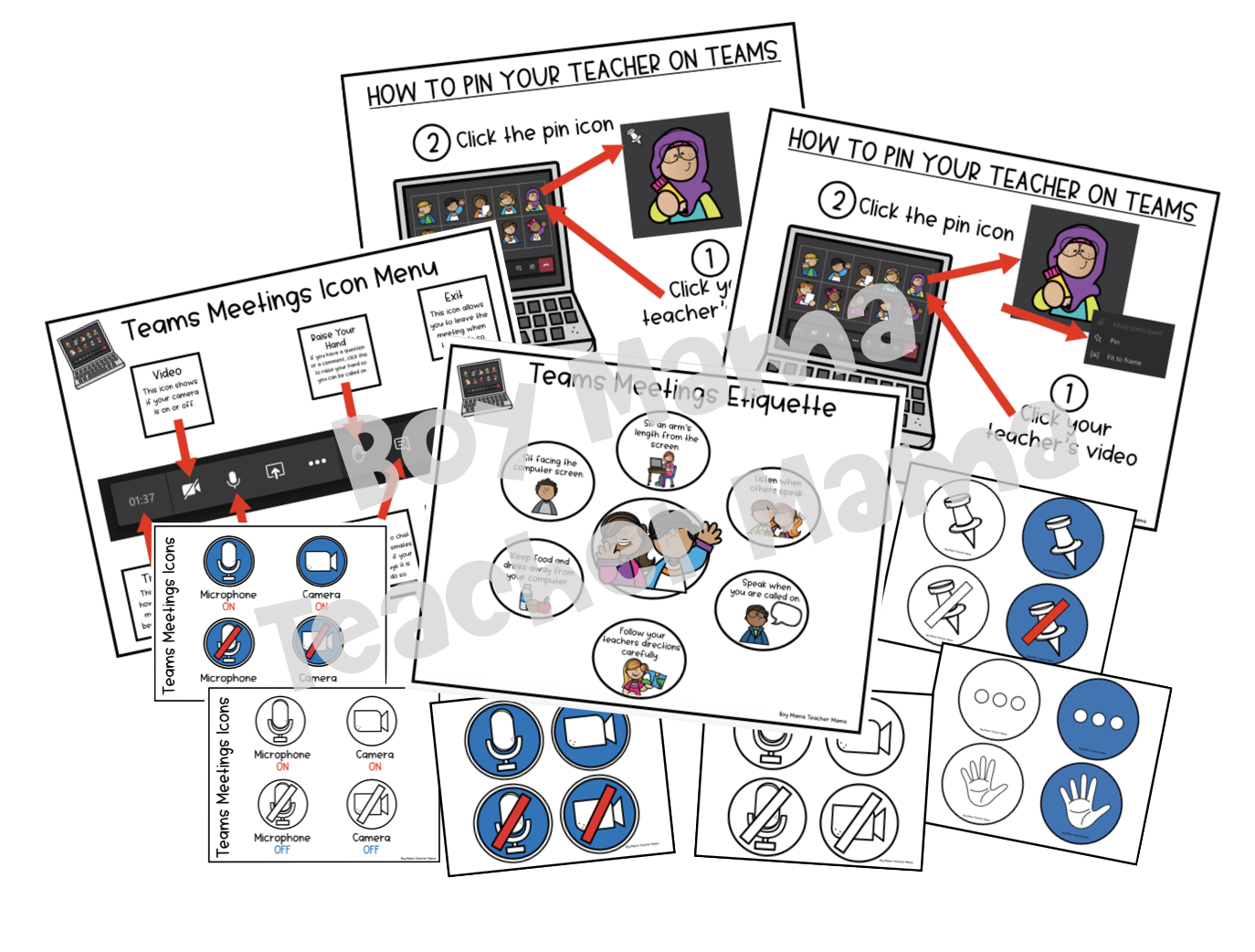
Included this product:
The visual aids in this product help you introduce your students to the Microsoft Teams dashboard and explain the most commonly used icons. They also teach students how to “pin” the teacher or speaker. A student-friendly poster on online learning etiquette is also included.
How I used this resource for virtual learning…
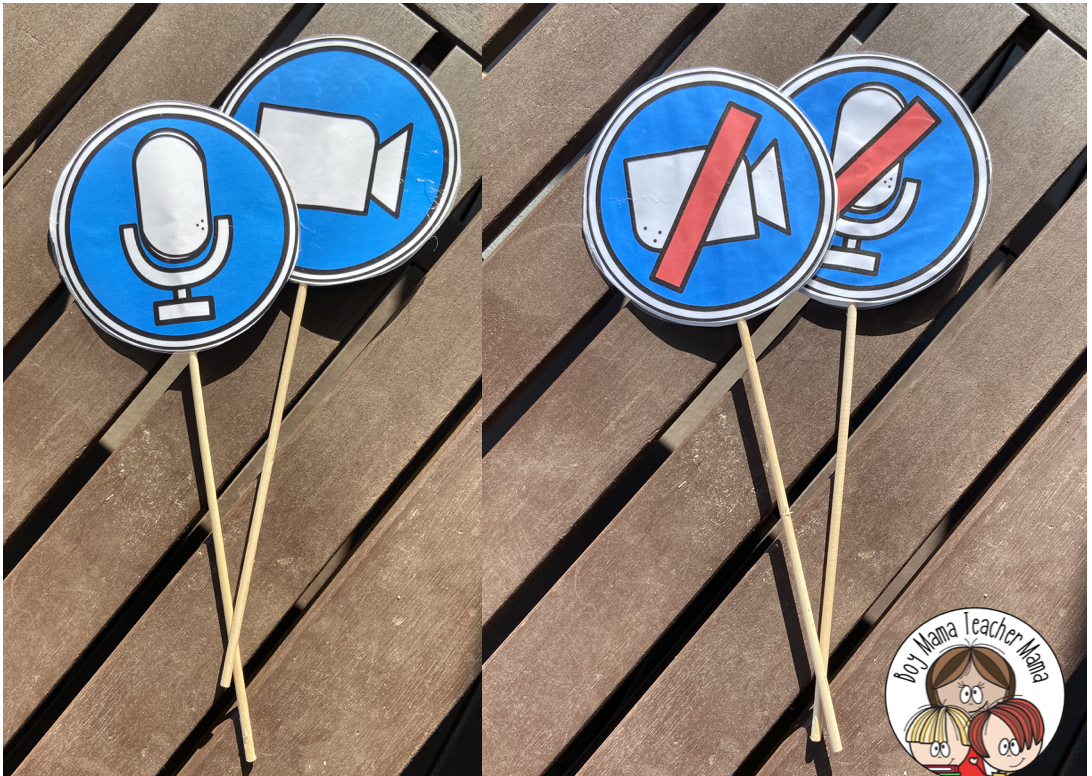
I printed all the icon images and glued them onto a wooden stick. One side has the “on” icon, and the other has the “off” icon. We began with the simplest icons– the mute and unmute icons. We played a variety of games in which students listened to simple directions with the mute button on, then turned the sound back on to answer a question or follow a direction.
We sent home the etiquette poster and the Microsoft Teams dashboard posters for families to keep nearby as a reminder of what each icon is for.
As a class, we reviewed the “how to pin the teacher” visual aid, learned how to pin me, and then practiced pinning and unpinning. By the end of the first 2 days, students were pros!
Visual Reminders for Virtual Learning
How I used this resource for virtual learning…
I created table tents from the templates and gave them to students to keep by their workstations.
I printed the poster and hung it in the classroom as another reminder.
As a class, we say, “Headphones on! Eyes on the Screen! Empty Hands!” Then the kids show me their empty hands, and I know we are ready to start. This has been extremely helpful!

Me on Microsoft Teams Activity


We began this activity by reading the book A Little Spot Learns Online: A Story about Virtual Classroom Expectations by Diane Amber. We discussed the screen we see each day and what we see of each other (mostly headshots), and we also talked about the importance of sitting properly so our classmates can see us.
I emailed templates to parents to print at home and had students find one square and draw themselves, making sure we could “see” their faces. After they completed their own picture, they added some classmates, colored their device, and shared their creations online.
NOTE: This activity includes templates for both iPads and laptops.

I hope you find these resources helpful! Good luck and stay safe!!
Are you looking for other distance learning resources?
Click the image below for these FREE Distance Learning Posters for the Classroom or Workspace.


If this is your first time visiting Boy Mama Teacher Mama, welcome!
Did you know that you can also find us on Facebook, Instagram, Pinterest, and Teachers Pay Teachers?
© Boy Mama Teacher Mama 2026
All Rights Reserved


Pingback: Distance Learning – Learning With Miss Irene